> ## Documentation Index
> Fetch the complete documentation index at: https://docs.paxos.com/llms.txt
> Use this file to discover all available pages before exploring further.
# Account Recovery
> Add a security question as a secondary login method.
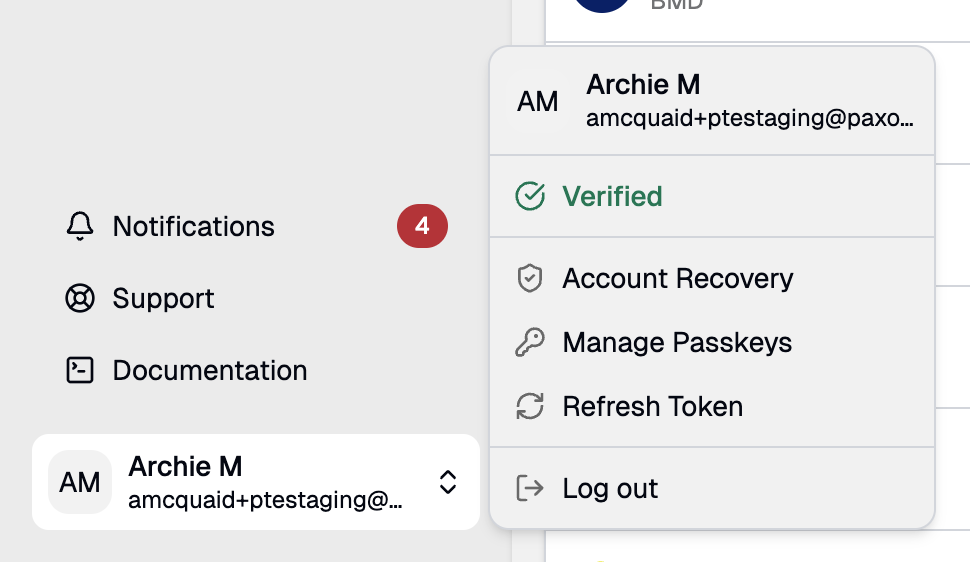 For passkey-based login, a security question serves as a fallback for account recovery if you lose access to your account or change devices.
Follow these steps to configure your security question:
1. Sign in to your account.
2. Click the account menu in the bottom-left corner and select **Manage Security Questions**.
3. Choose a question from the list.
4. Enter an answer only you would know.
Avoid using any identifying information (i.e., your name, birthdate) or common answers (i.e., 123456).
5. Write down your answer and store it in a secure place.
For security reasons, the answer cannot be retrieved later.
You can update your recovery question at any time by following the same steps.
For passkey-based login, a security question serves as a fallback for account recovery if you lose access to your account or change devices.
Follow these steps to configure your security question:
1. Sign in to your account.
2. Click the account menu in the bottom-left corner and select **Manage Security Questions**.
3. Choose a question from the list.
4. Enter an answer only you would know.
Avoid using any identifying information (i.e., your name, birthdate) or common answers (i.e., 123456).
5. Write down your answer and store it in a secure place.
For security reasons, the answer cannot be retrieved later.
You can update your recovery question at any time by following the same steps.