> ## Documentation Index
> Fetch the complete documentation index at: https://docs.paxos.com/llms.txt
> Use this file to discover all available pages before exploring further.
# Convert
> Convert between USD and stablecoins, and send the result to a profile or external account.
Go to the [Dashboard](https://dashboard.paxos.com/) and click **Convert** in the top-right corner to convert between USD and stablecoins.
## Mint
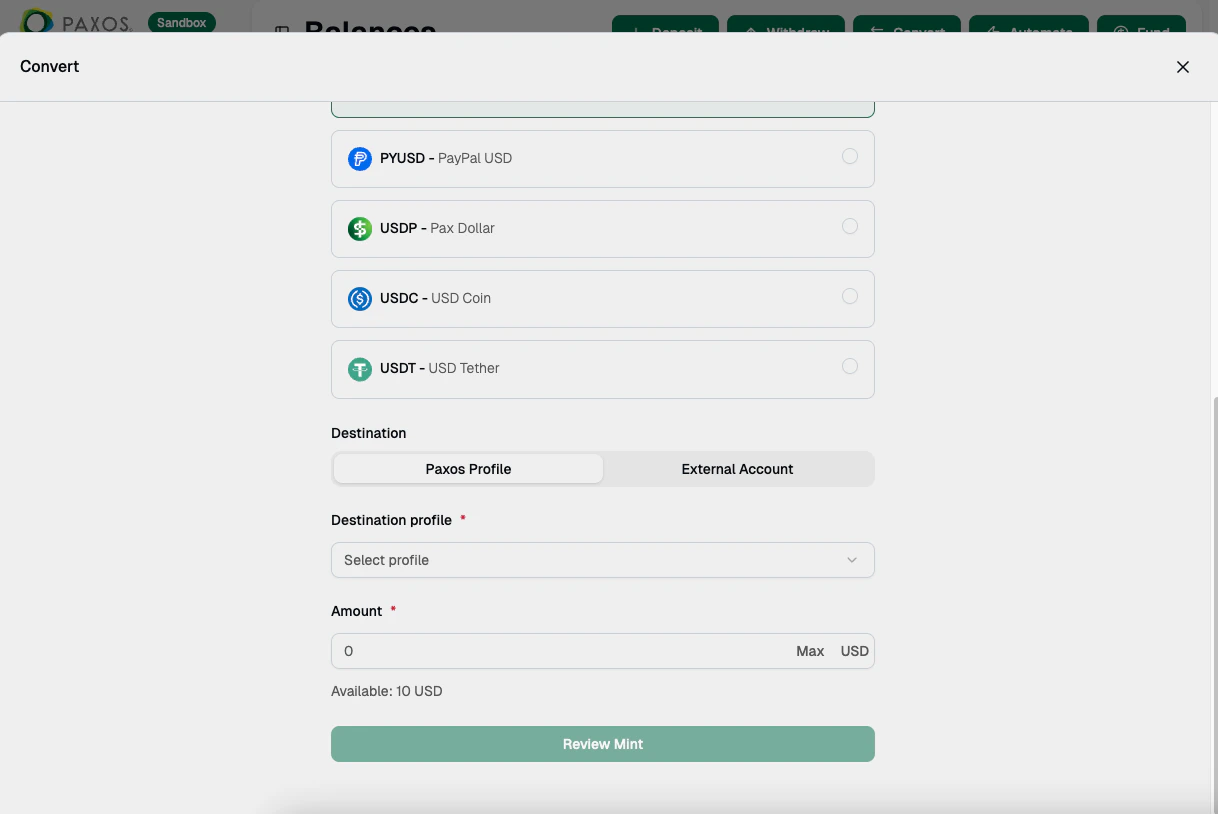
Convert your USD balance to a stablecoin token (USD → Stablecoin).
1. Select **Mint**.
2. Choose the [Profile](/guides/dashboard/organization#profile) that holds the USD balance.
3. Select the stablecoin to mint (for example, USDG, PYUSD, or USDP).
4. Choose the destination: **Paxos Profile** or **External Account**. If sending to an external account, select the network and wallet address.
5. Enter the **Amount** to convert.
6. Review the details and confirm.
 ## Redeem
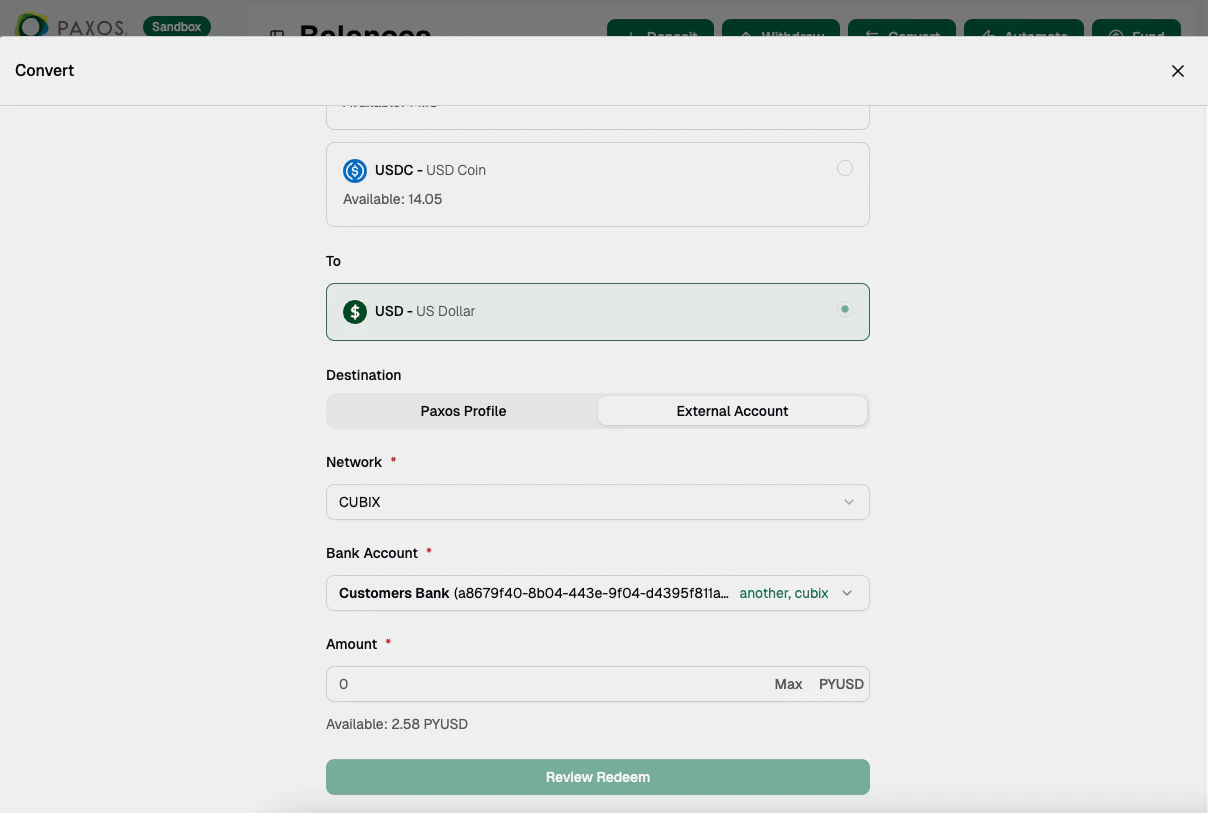
Convert your stablecoin tokens back to USD (Stablecoin → USD).
1. Select **Redeem**.
2. Choose the [Profile](/guides/dashboard/organization#profile) that holds the stablecoin balance.
3. Select the stablecoin to redeem.
4. Choose the destination: **Paxos Profile** or **External Account**. If sending to an external account, select the network and saved account.
5. Enter the **Amount** to convert.
6. Review the details and confirm.
## Redeem
Convert your stablecoin tokens back to USD (Stablecoin → USD).
1. Select **Redeem**.
2. Choose the [Profile](/guides/dashboard/organization#profile) that holds the stablecoin balance.
3. Select the stablecoin to redeem.
4. Choose the destination: **Paxos Profile** or **External Account**. If sending to an external account, select the network and saved account.
5. Enter the **Amount** to convert.
6. Review the details and confirm.
 ## Swap
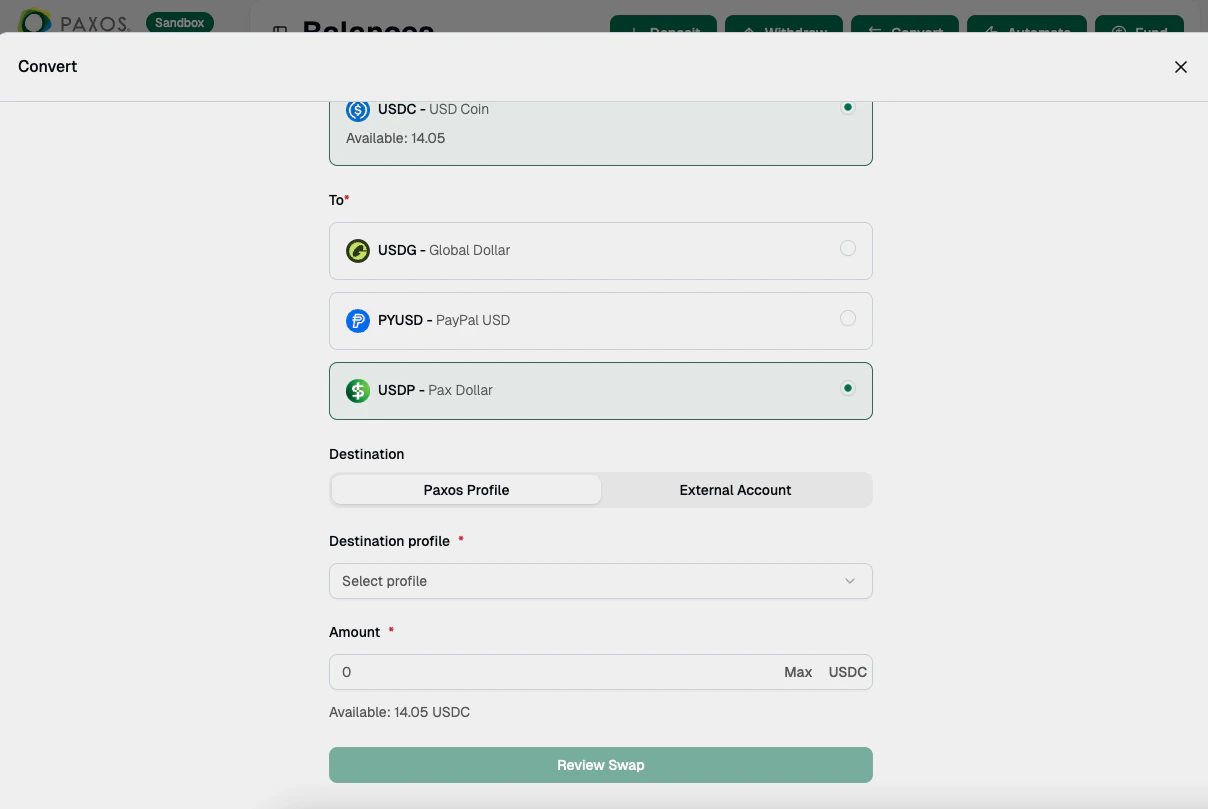
Exchange one stablecoin for another (Stablecoin → Stablecoin).
1. Select **Swap**.
2. Choose the [Profile](/guides/dashboard/organization#profile) that holds the stablecoin you want to swap from.
3. Select the stablecoin to receive.
4. Choose the destination: **Paxos Profile** or **External Account**. If sending to an external account, select the network and wallet address.
5. Enter the **Amount** to swap.
6. Review the details and confirm.
## Swap
Exchange one stablecoin for another (Stablecoin → Stablecoin).
1. Select **Swap**.
2. Choose the [Profile](/guides/dashboard/organization#profile) that holds the stablecoin you want to swap from.
3. Select the stablecoin to receive.
4. Choose the destination: **Paxos Profile** or **External Account**. If sending to an external account, select the network and wallet address.
5. Enter the **Amount** to swap.
6. Review the details and confirm.
 Go to [Transactions > Conversions](https://dashboard.paxos.com/dashboard/transactions/conversions) to monitor conversion activity.
> Want to automatically convert incoming deposits? [Set up an Automation](/guides/dashboard/automate).
> Can't find the right conversion options?
> The desired option may not be supported by the [Entity](/guides/dashboard/organization#entities) or by the Paxos platform.
> Reach out to your [Entity Manager](/guides/dashboard/roles#entity-manager) or [contact us](https://support.paxos.com/hc/en-us/requests/new) for help.
Go to [Transactions > Conversions](https://dashboard.paxos.com/dashboard/transactions/conversions) to monitor conversion activity.
> Want to automatically convert incoming deposits? [Set up an Automation](/guides/dashboard/automate).
> Can't find the right conversion options?
> The desired option may not be supported by the [Entity](/guides/dashboard/organization#entities) or by the Paxos platform.
> Reach out to your [Entity Manager](/guides/dashboard/roles#entity-manager) or [contact us](https://support.paxos.com/hc/en-us/requests/new) for help.