> ## Documentation Index
> Fetch the complete documentation index at: https://docs.paxos.com/llms.txt
> Use this file to discover all available pages before exploring further.
# Get Started with Rewards
> Sign up for the Global Dollar Network and start earning USDG rewards.
## ➊ Sign Up
Use the GDN invite link provided by your Paxos contact to create an account.
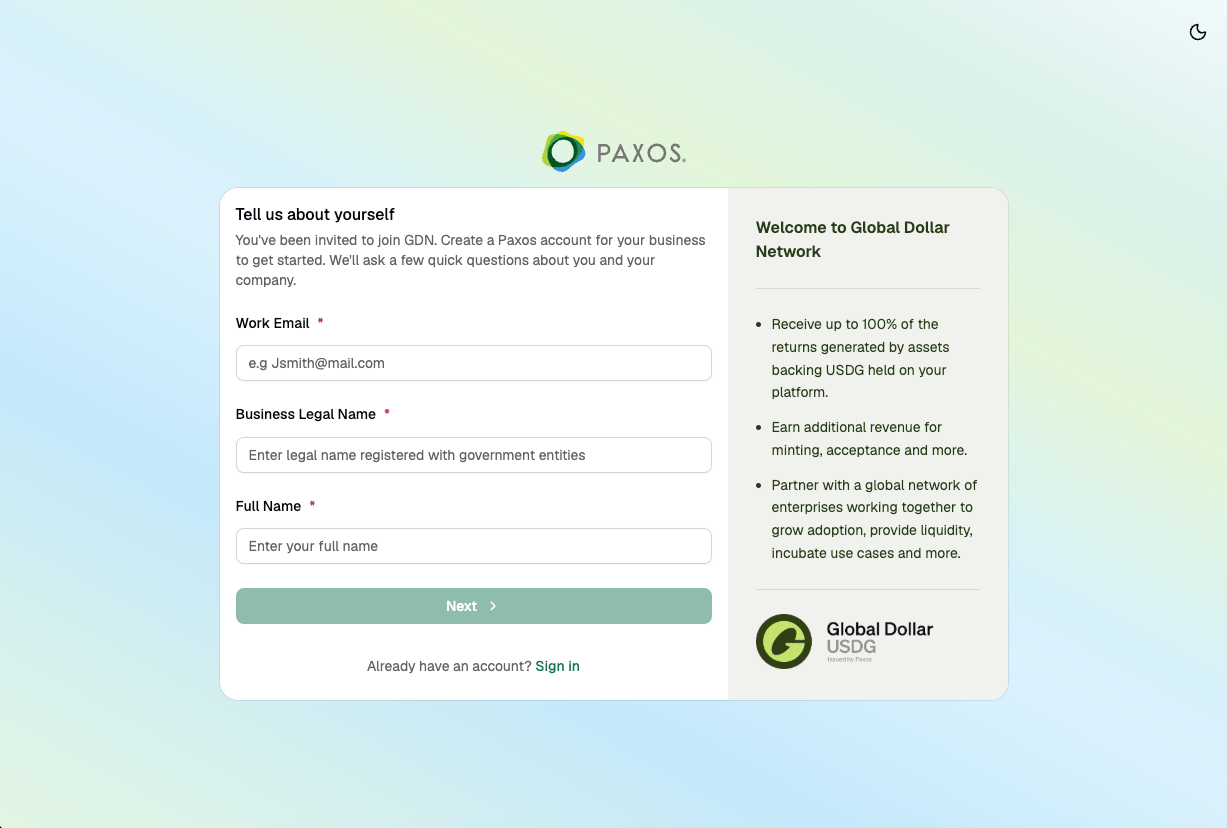 Fill in your **Work Email**, **Business Legal Name**, and **Full Name**, then click **Next**. Follow the prompts to verify your email and create a passkey. Learn more about [passkeys](/guides/dashboard/passkeys).
## ➋ Complete Get Started
After signing in, a **Get Started** setup flow launches automatically.
Review what the setup covers, then click **Continue**.
Fill in your **Work Email**, **Business Legal Name**, and **Full Name**, then click **Next**. Follow the prompts to verify your email and create a passkey. Learn more about [passkeys](/guides/dashboard/passkeys).
## ➋ Complete Get Started
After signing in, a **Get Started** setup flow launches automatically.
Review what the setup covers, then click **Continue**.
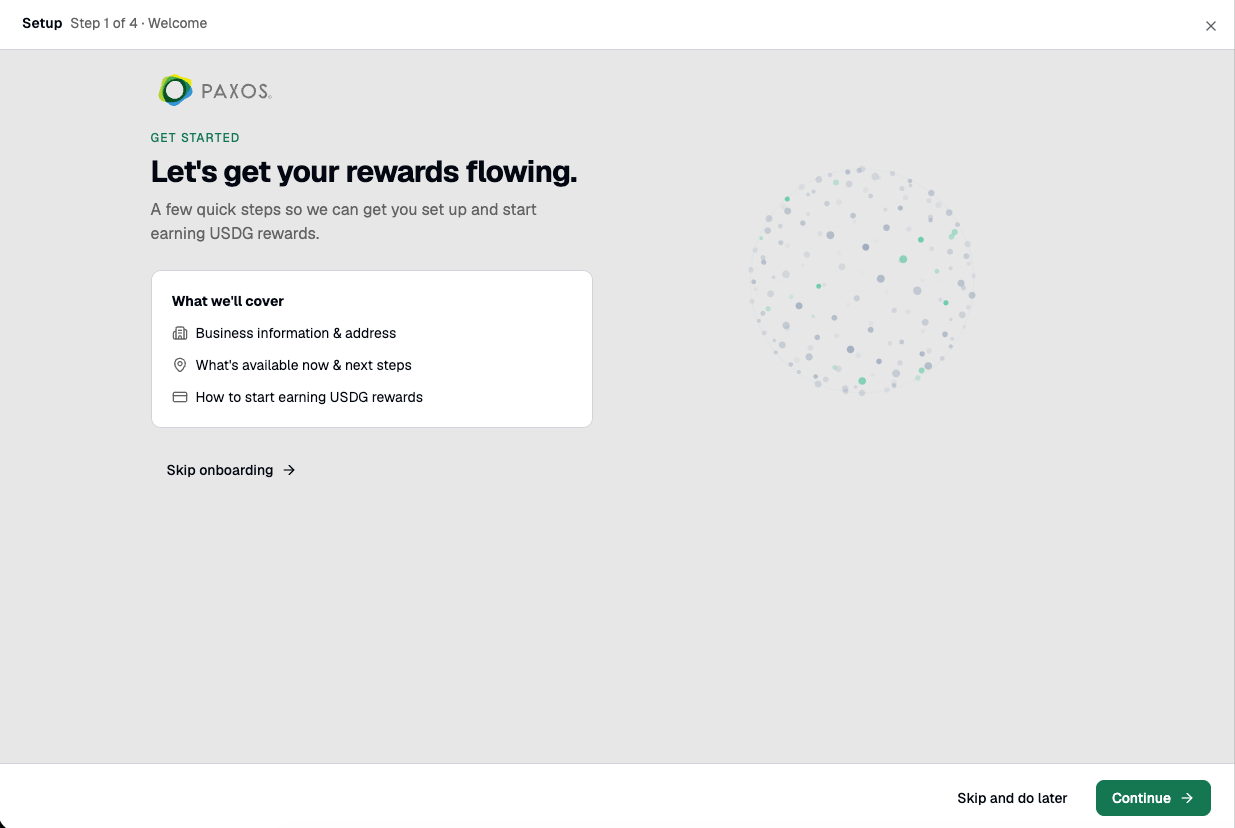 Enter your **Legal business name**, **Country of incorporation**, **Company type**, and optionally a **Company description** and **Company website**. Click **Continue**.
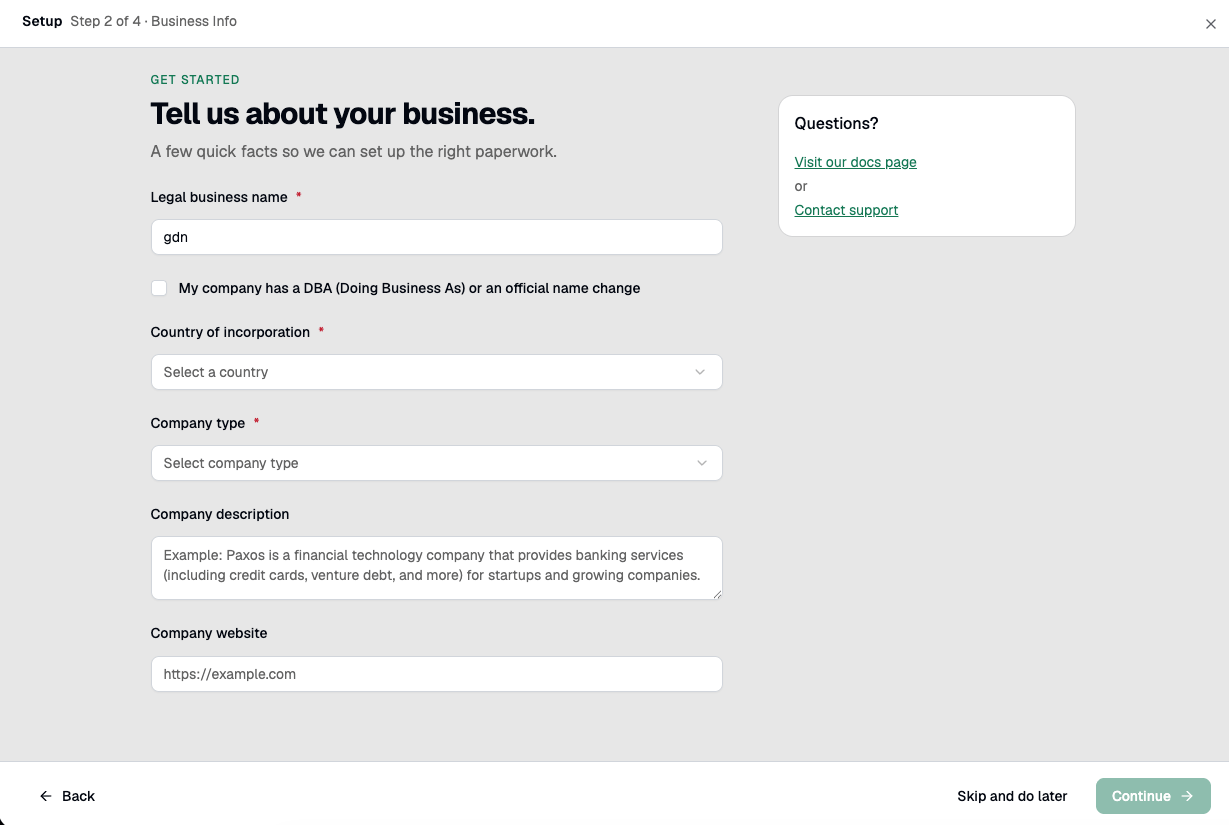 Enter your business address (PO Boxes are not accepted). Click **Submit**.
 Your application is submitted. Paxos will review and email you once complete. Once approved, you'll need to sign an agreement via DocuSign to activate your account.
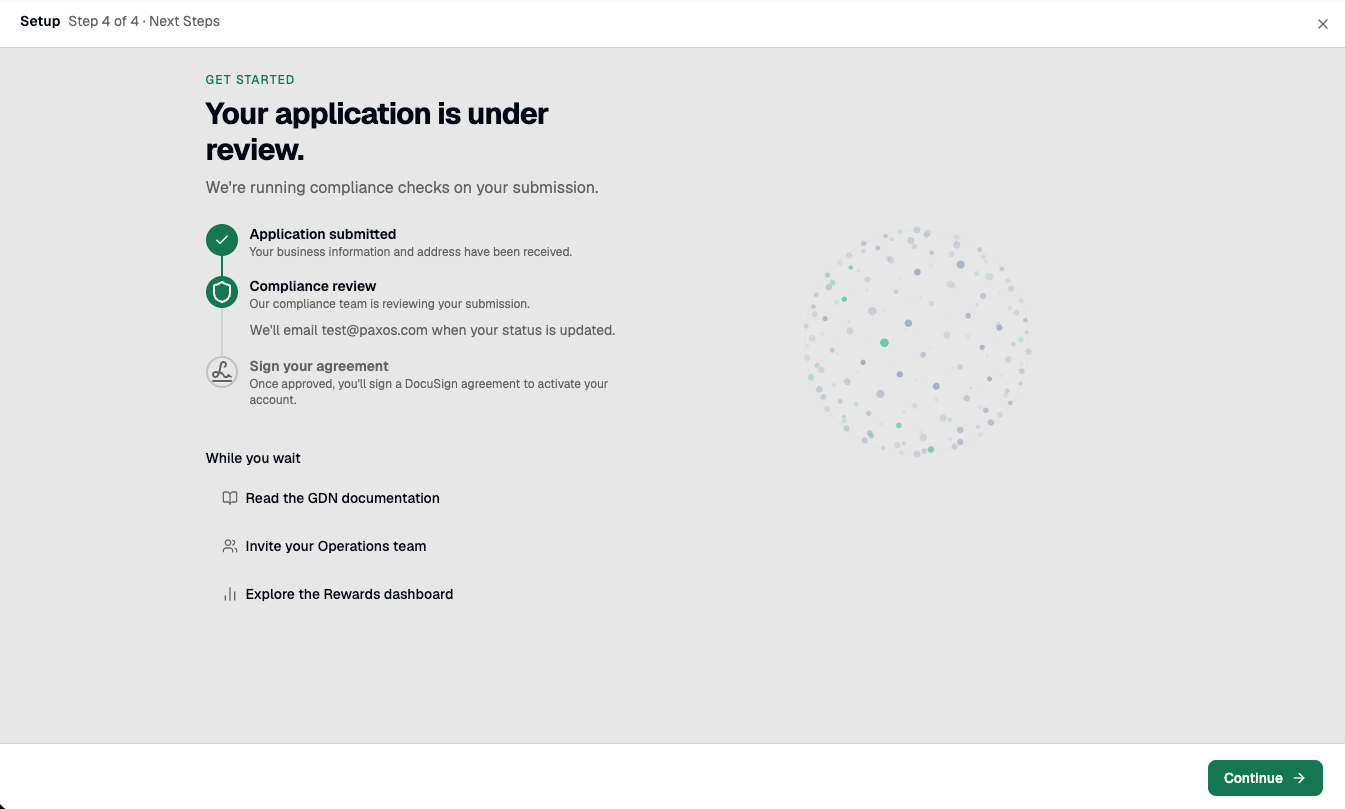 Click **Continue** to go to your Dashboard.
## ➌ Wait for Paxos to Enable Rewards
Once Paxos enables your account for rewards, your **Onboarding** page updates to confirm your approved status. The page shows **Your account is approved for rewards** and a **Set up rewards** task with a **Go to Rewards** button. To unlock the full platform — including moving money, API keys, and full custody — complete business verification by clicking **Verify your business**.
Click **Continue** to go to your Dashboard.
## ➌ Wait for Paxos to Enable Rewards
Once Paxos enables your account for rewards, your **Onboarding** page updates to confirm your approved status. The page shows **Your account is approved for rewards** and a **Set up rewards** task with a **Go to Rewards** button. To unlock the full platform — including moving money, API keys, and full custody — complete business verification by clicking **Verify your business**.
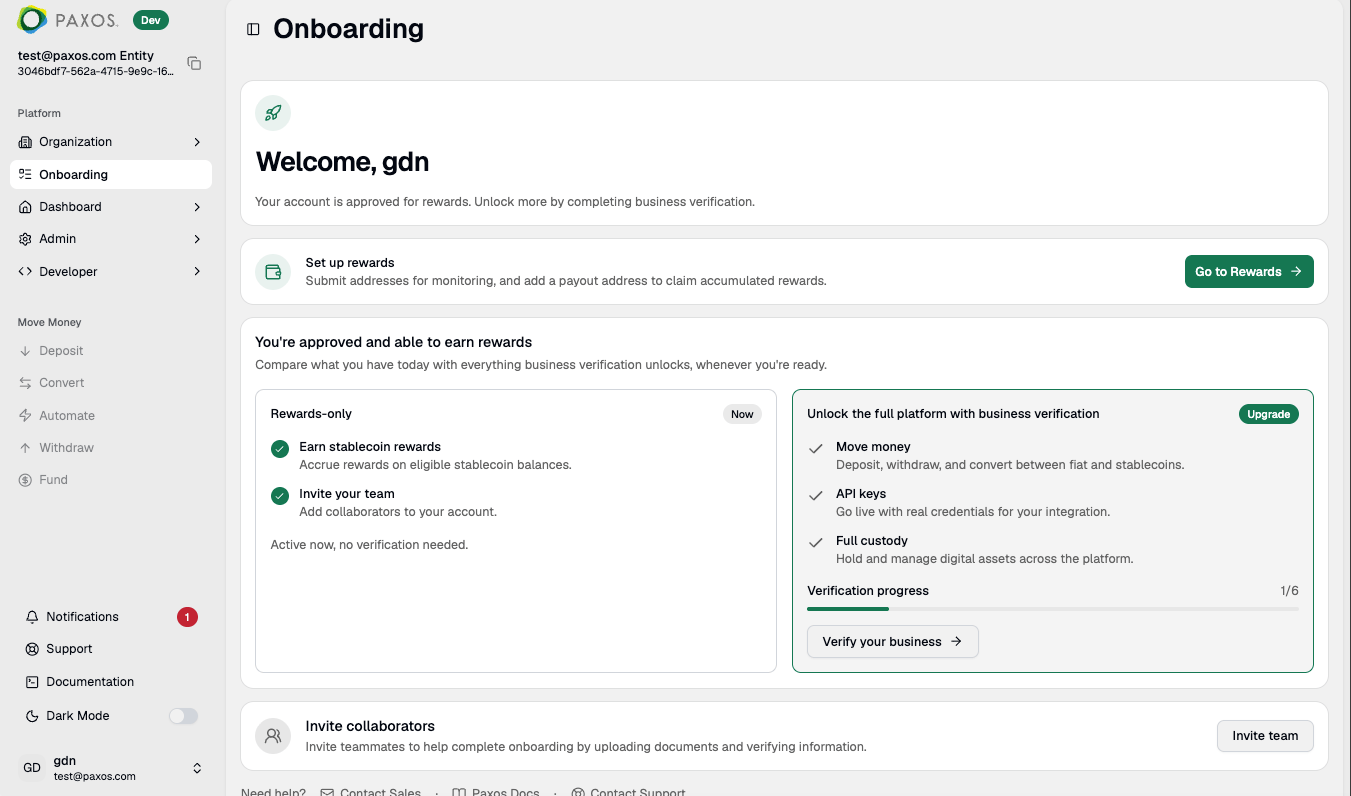 You'll receive an email notification once the review is complete and rewards access is enabled.
## ➍ Set Up Rewards
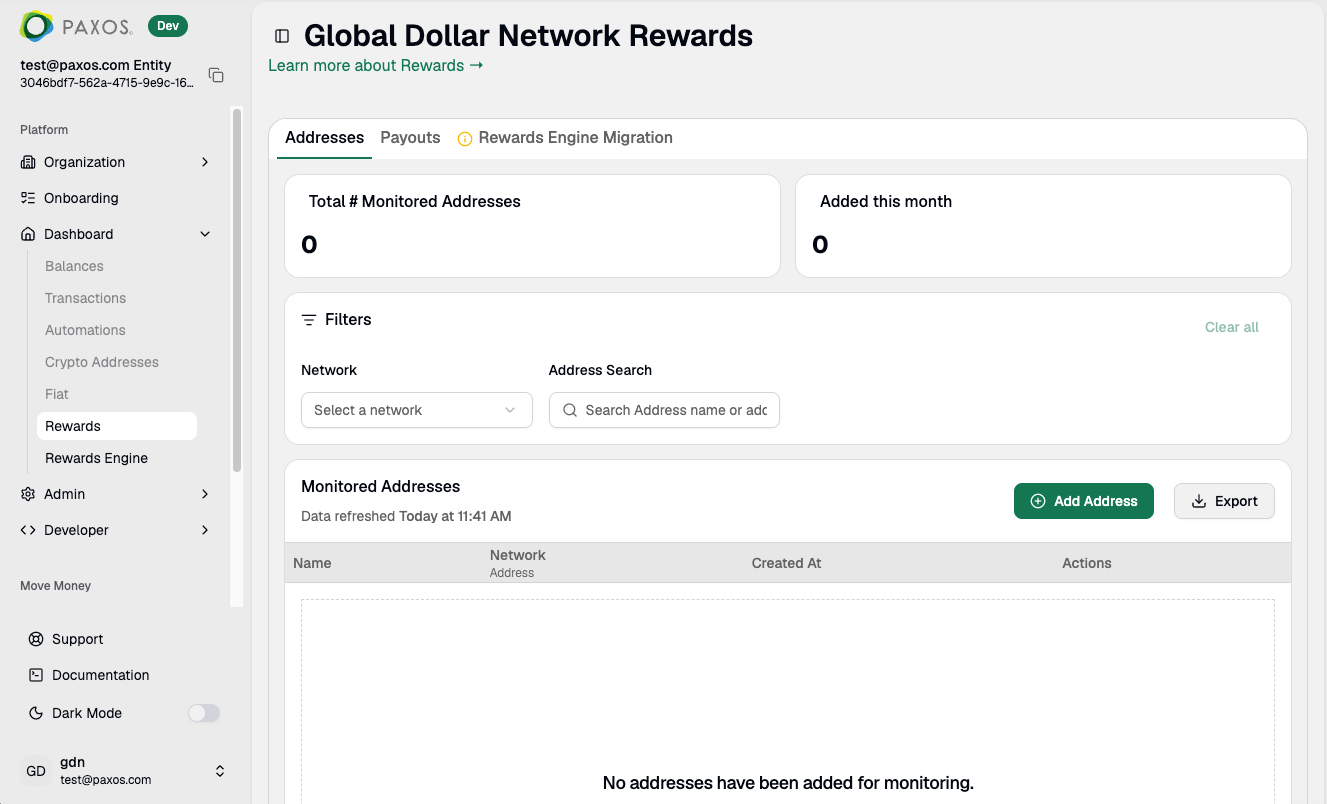
Once Paxos enables your account for rewards, navigate to **Rewards** in the left sidebar to configure your payout address and monitoring addresses.
You'll receive an email notification once the review is complete and rewards access is enabled.
## ➍ Set Up Rewards
Once Paxos enables your account for rewards, navigate to **Rewards** in the left sidebar to configure your payout address and monitoring addresses.
 > Questions? Contact [Support](https://support.paxos.com) or refer to the [Rewards overview](/guides/dashboard/rewards/overview).