

How Automation Works
Each automation rule has two modes:- Convert & Hold: Deposit funds, convert them to a target asset, and hold the result in the same profile.
- Convert & Transfer: Deposit funds, convert them to a target asset, and send the result to a different profile, external bank account, or wallet.
- Create an automation rule that defines the deposit type (USD or crypto), the target asset, and whether to hold or transfer the result.
- Paxos generates deposit instructions for the automation rule.
- Send funds using the generated deposit instructions.
- When funds arrive, Paxos automatically executes the rule.
Create an Automation
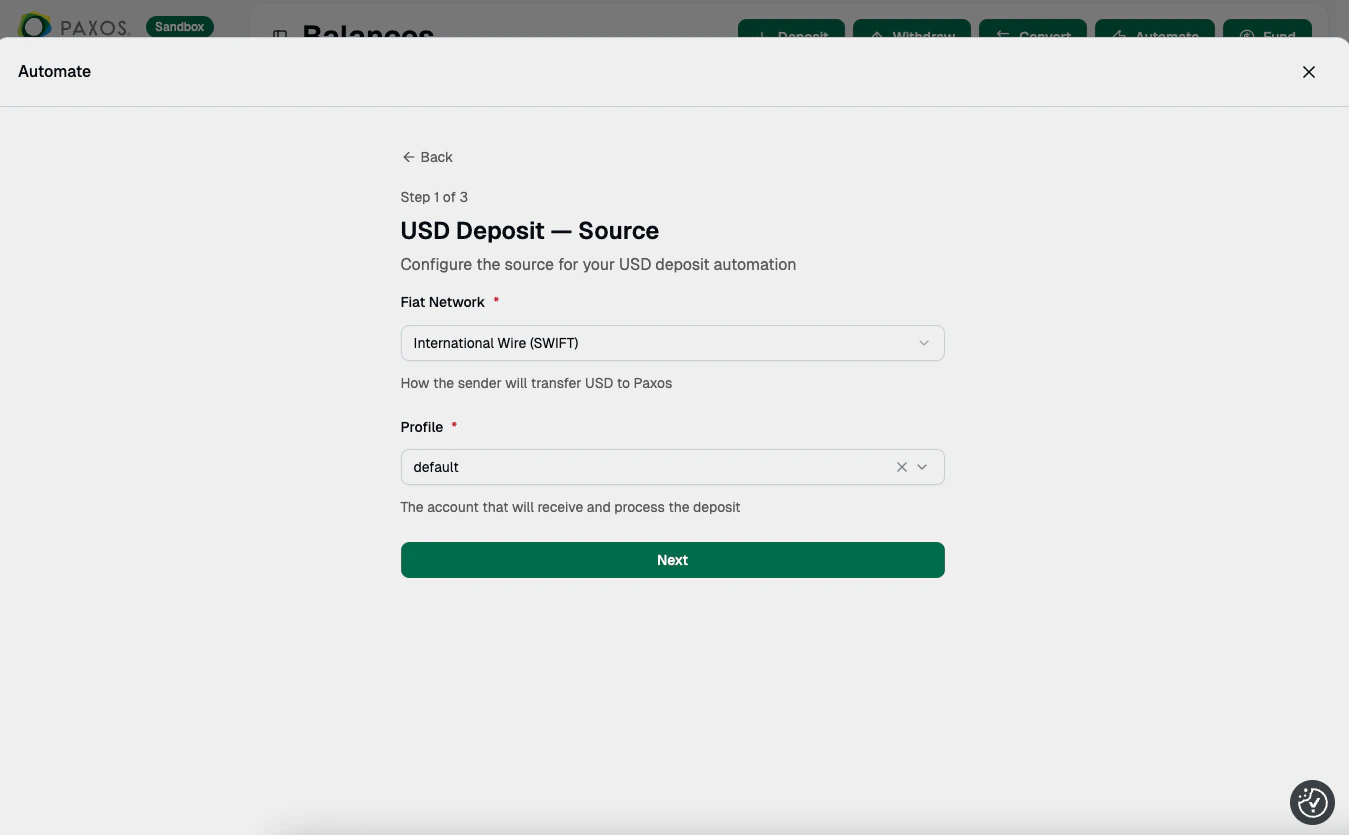
➊ Source
- Select the deposit type: USD Deposit or Crypto Deposit.
- Choose the source asset and network.
- Select the Profile that will receive and process the deposit.
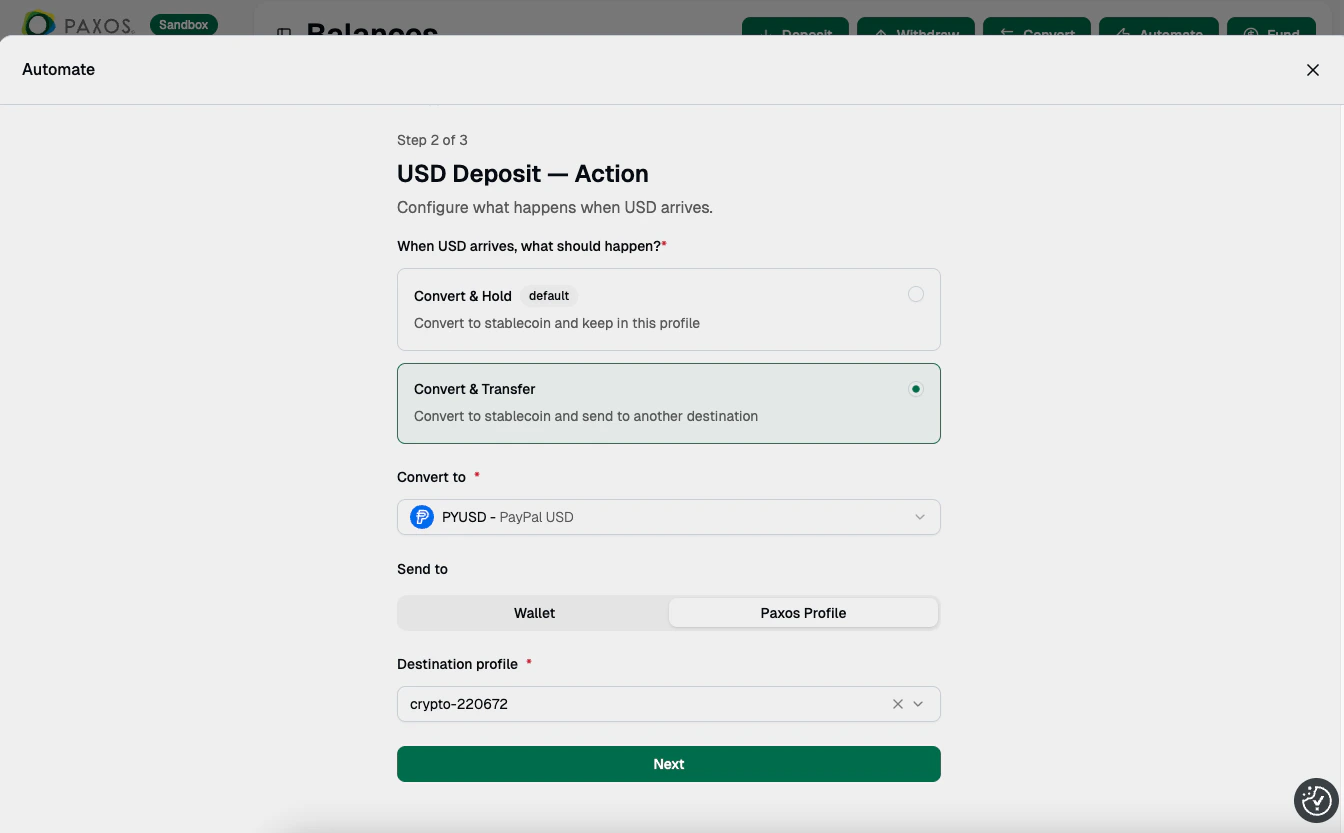
➋ Action
- Choose Convert & Hold to convert and keep the result in the same profile, or Convert & Transfer to convert and send to another destination.
- Select the asset to convert into.
- If using Convert & Transfer, choose where to send the result: a Wallet (external address) or a Paxos Profile. Then select the destination network and address.
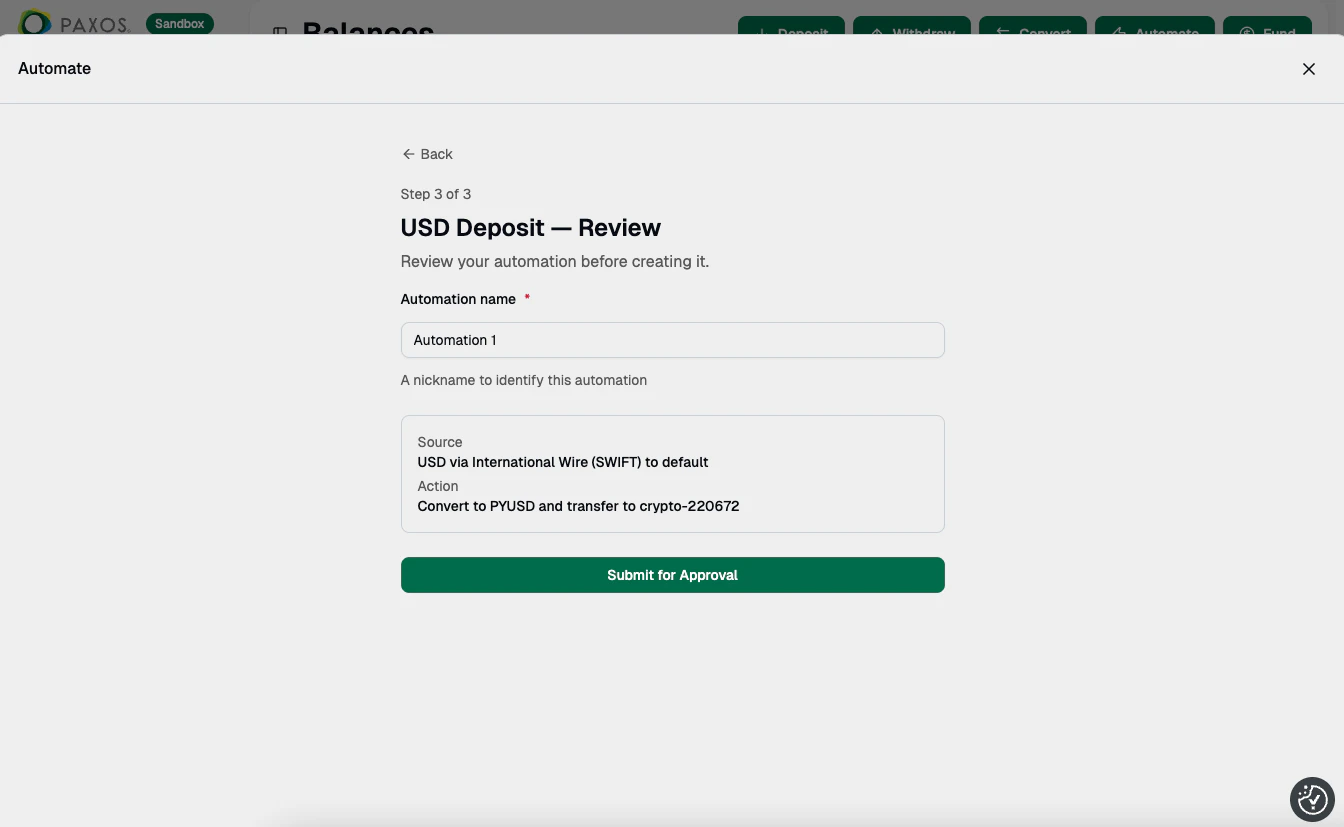
➌ Review
- Name the automation rule.
- Review the source and action summary, then click Create Automation.
Manage Automations
Access existing automation rules from the Automations page. Automation rules are reusable. Use the same deposit instructions anytime you want to repeat the same conversion flow.Review Transaction Status
Track automation activity from Transactions > Deposits & Transfers. You’ll see two entries:- Deposit: The incoming fiat or crypto deposit.
- Withdrawal: The outbound transfer of the converted asset.
- Pending: The transaction is executing, which may include a manual review. If a transaction is pending for an extended duration, contact Support.
- Failed: If a transaction shows the failed status, contact Support.
- Complete: The transaction is successful.
Questions? Contact Support.