

View Audit Logs
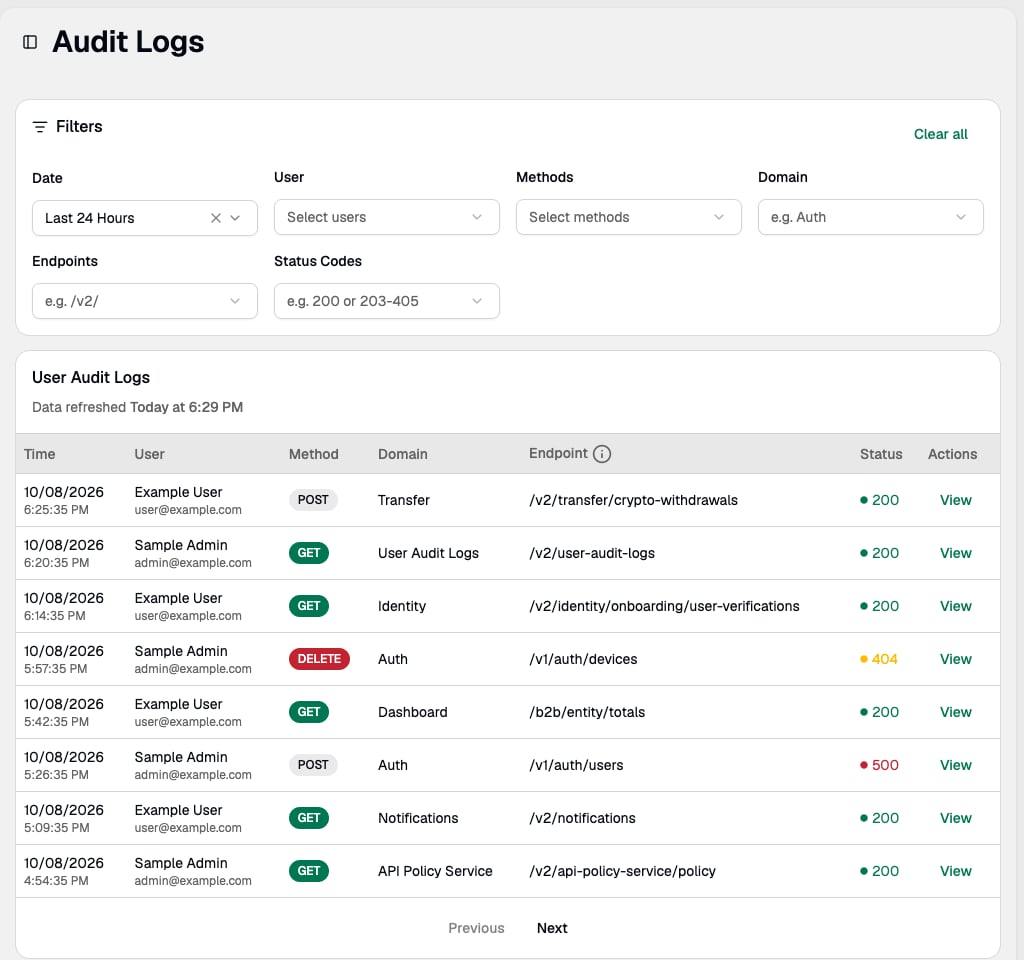
The audit log table shows each request at a glance:
Click View on any row to open a detail panel showing the IP address, user agent, and full request and response payloads.
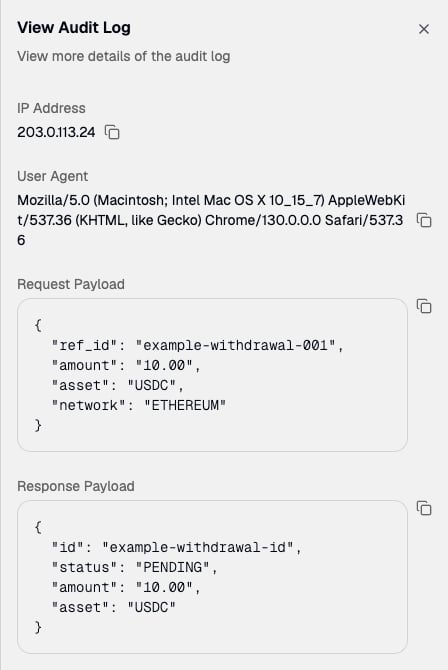
Response payloads are only captured for requests that make changes (POST, PUT, DELETE, PATCH). Read-only requests (GET) do not include a response payload.
Filter Results
Use the filter bar to narrow results:- Date: Last 24 hours (default), last 1 hour, last 4 hours, last 7 days, last 30 days, or a custom range
- User: Focus on a specific user or set of users
- Methods: Filter by HTTP method (e.g. only show POST or DELETE requests)
- Domain: Filter by service (e.g. “Auth”)
- Endpoints: Filter by path (e.g. “/v2/transfers”)
- Status Codes: Use preset ranges (2xx, 3xx, 4xx, 5xx) or enter a specific code
Active filters are saved in the URL — bookmark or share a filtered view for quick access during investigations.