

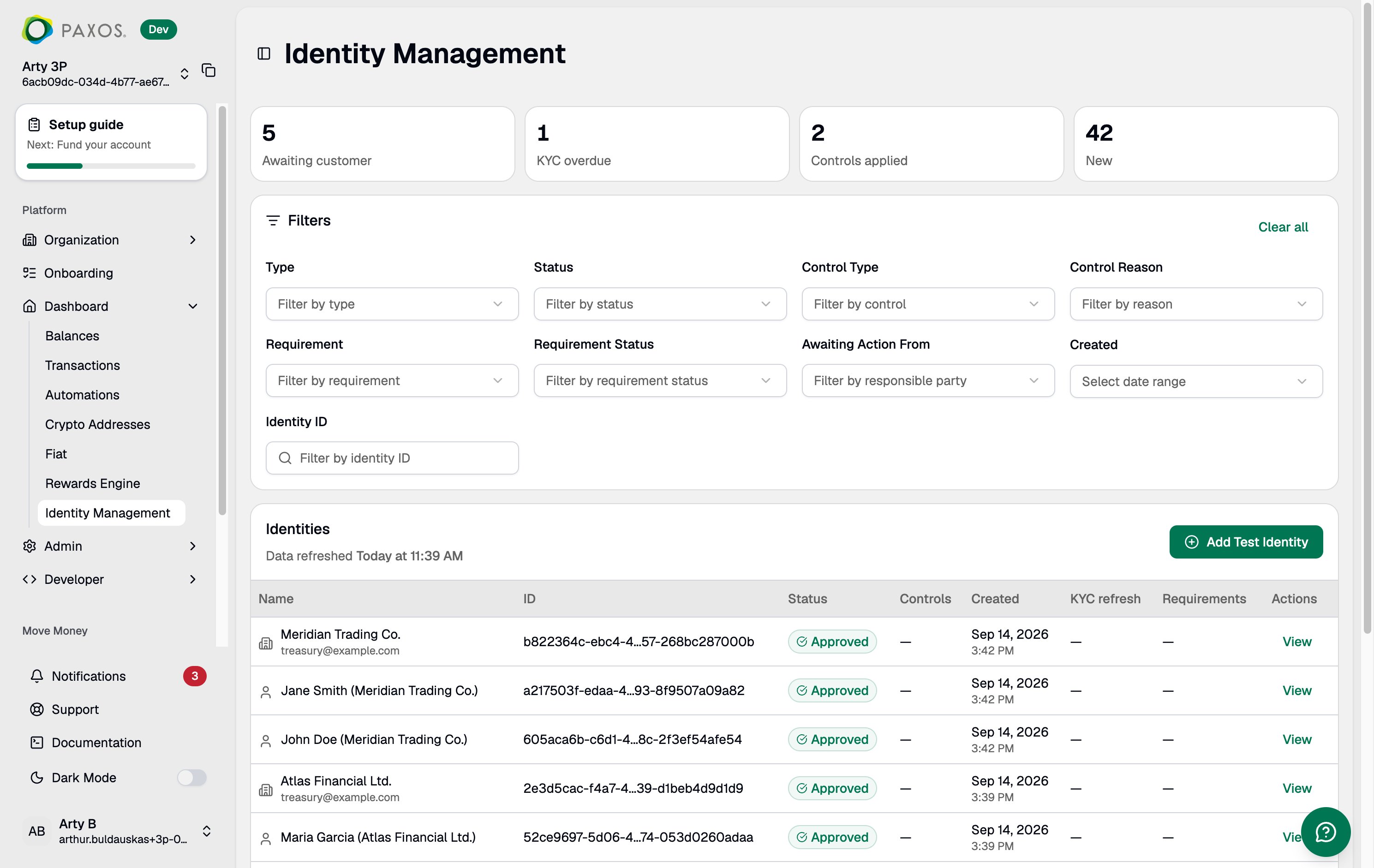
Stat Cards
Four metric tiles at the top of the page surface identities that may need attention:
Click any stat card to apply the corresponding filters to the identity table.
Identity Table
The table lists all identities associated with your entity, sorted by most recent creation date. Each row shows:- Name (redacted if your role does not include PII visibility)
- ID (truncated)
- Status (
PENDING,APPROVED,DENIED,DISABLED,ERROR) - Controls
- Created
- KYC refresh
- Requirements
- Actions
Search
Use the Identity ID field to look up a specific identity by its full UUID.Filters
Narrow the table using the available filters:- Type — Filter by identity type (Person or Institution).
- Status — Filter by identity status.
- Control Type — Filter by active control type.
- Control Reason — Filter by the reason a control was applied.
- Requirement — Filter by outstanding requirement type.
- Requirement Status — Filter by requirement status.
- Awaiting Action From — Filter by who needs to act (Paxos or your application).
- Created — Filter by identity creation date range.
For a full reference on identity statuses and requirements, see Identity Lifecycle.