

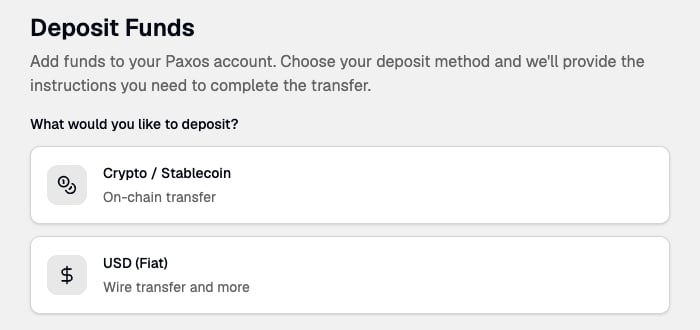
- Choose Crypto / Stablecoin or USD (Fiat).
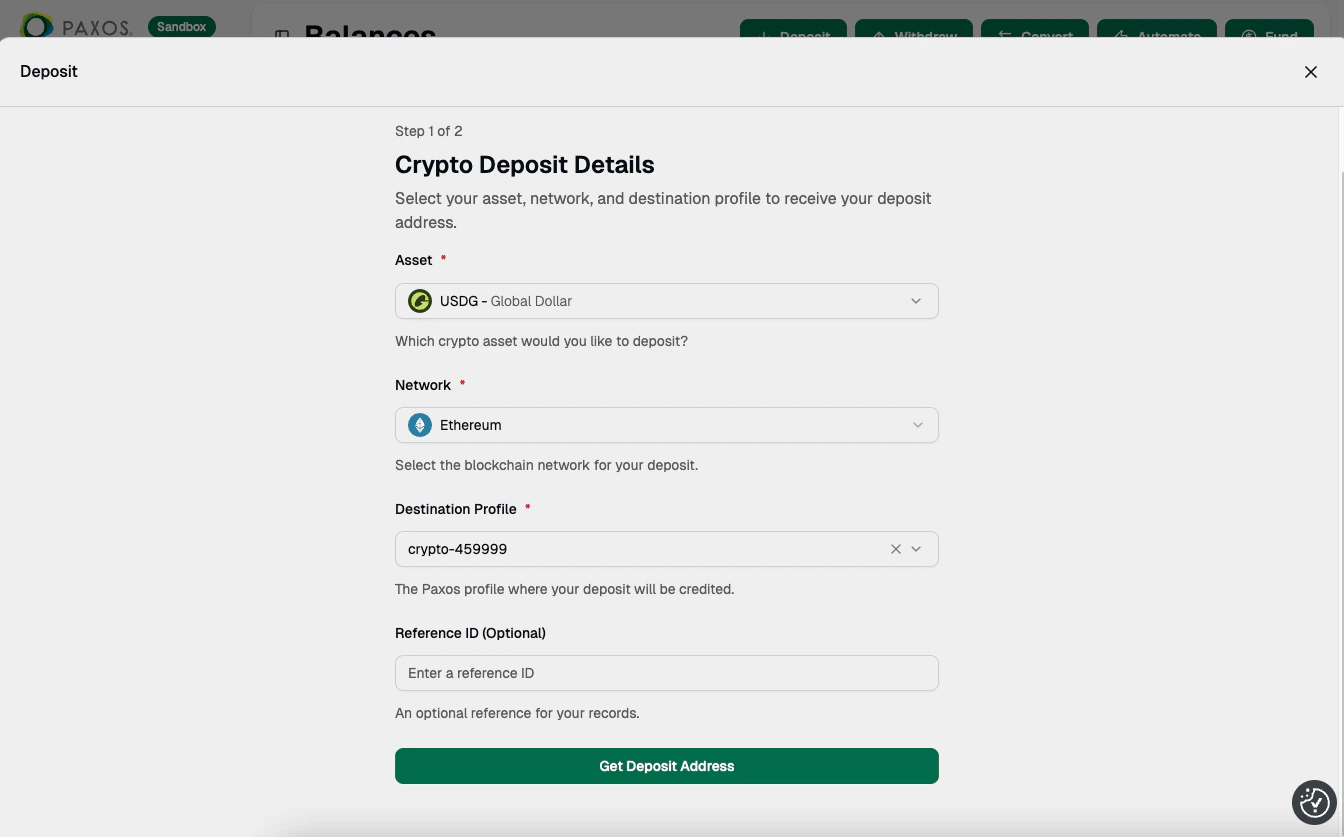
- For crypto, select the Asset and Network, then choose the Profile where the assets will be deposited on the Paxos platform. Click Get Deposit Address.
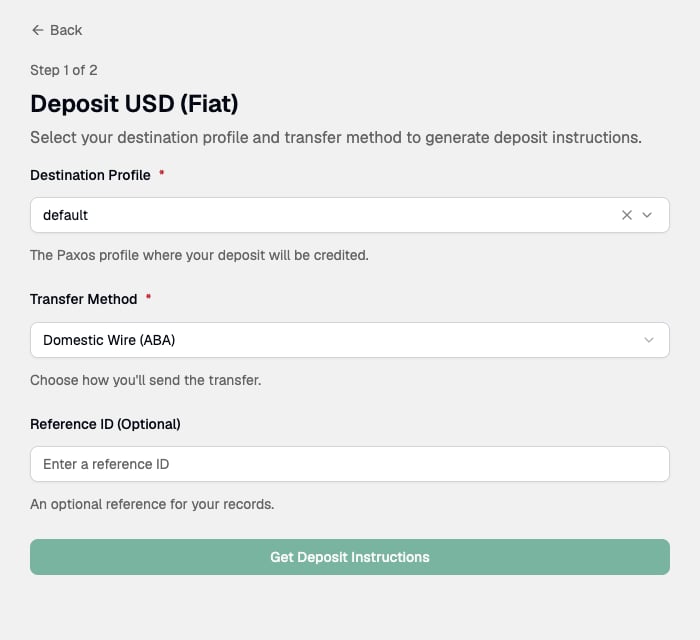
- For USD, choose the destination Profile and the Transfer Method, such as Domestic Wire (ABA) or International Wire (SWIFT). Click Get Deposit Instructions.
- Off the platform, use the generated instruction or address to send the assets to the Paxos platform.
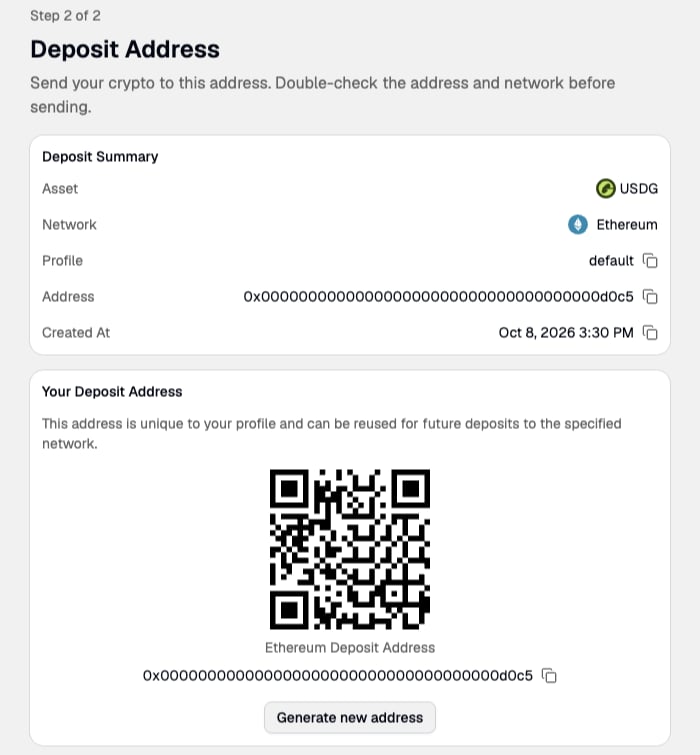
Previously generated instructions and addresses are available in Deposit Addresses (crypto) and Deposit Instructions (fiat).