

Looking for Rewards Engine payout destinations instead? See Payout Addresses.
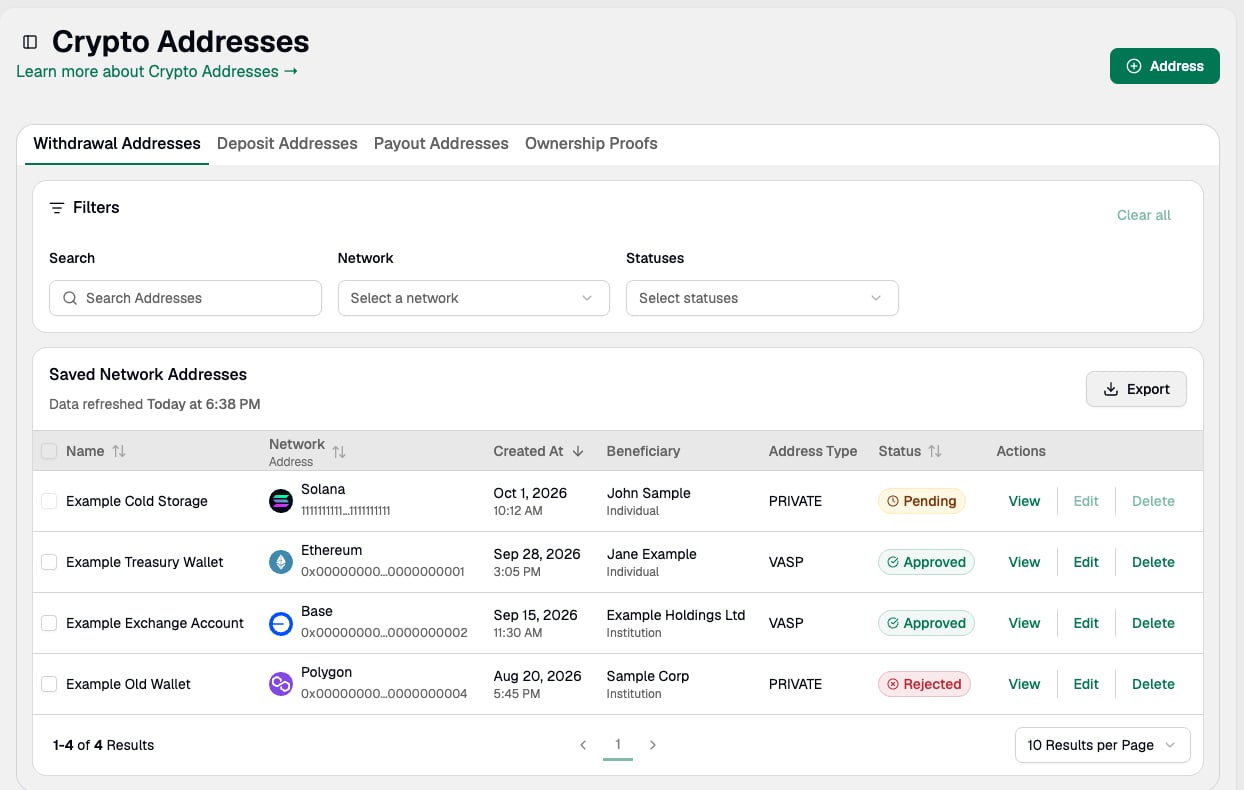
- Use the copy function in the Network Address column to quickly add an address to the clipboard.
- Use View in the Actions column to view a saved address and review existing information, including the beneficiary details.
Add Network Address
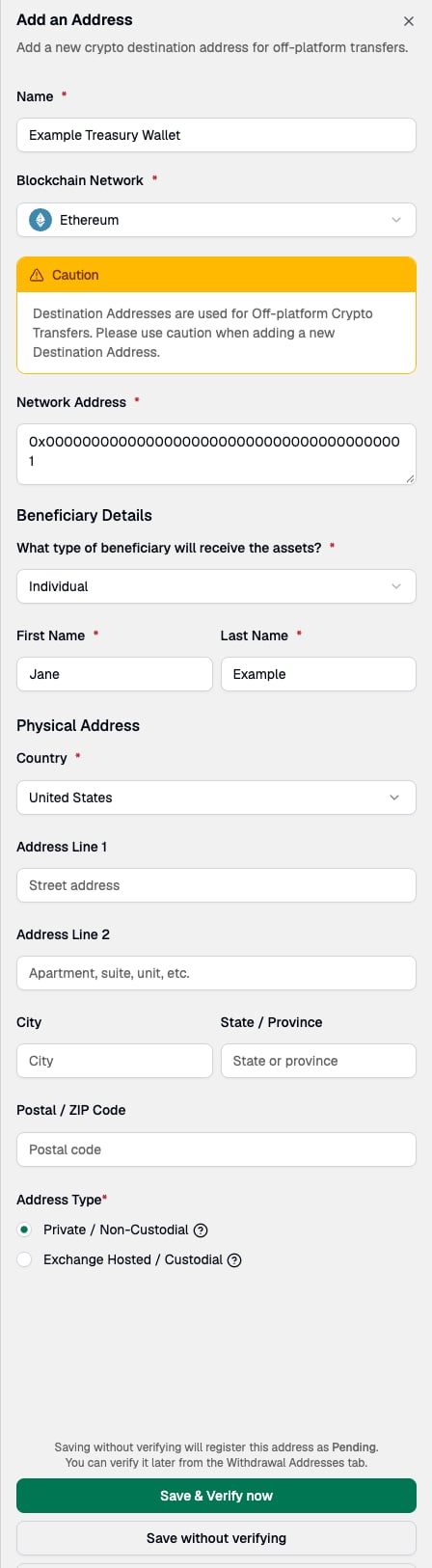
To add a new destination wallet address, go to Addresses and use ⊕︎ Address to get started. Once added, the address is available as an option when sending a digital asset to an external wallet (i.e., a crypto withdrawal).- Provide a name and select the blockchain network.
- Retrieve the external wallet address and paste it in the Network Address field.
-
Provide beneficiary details for the recipient. The fields shown depend on whether the beneficiary is an Individual or an Institution. You will be asked for:
- What type of beneficiary will receive the assets? (Individual or Institution) and the beneficiary’s First Name and Last Name, or Name for an Institution (required).
- Address Type, either Private / Non-Custodial or Exchange Hosted / Custodial (required).
- Country, selected from a list (required). Enforcement begins November 30, 2026.
- Address Line 1, Address Line 2, City, State / Province, and Postal / ZIP Code (optional).
- Save the address.
Existing addresses can be completed by editing. Only the name and beneficiary details of a saved address can be modified — click Edit on the Crypto Addresses screen to add Beneficiary Country and any other beneficiary information to an address saved before this field was added. Other fields can only be changed by deleting the address and re-adding it. Complete addresses saved before this change before enforcement begins on November 30, 2026, otherwise above-threshold withdrawals to them will fail.
If you’re onboarded to Paxos Global (PTE) and the address is a Private / Non-Custodial wallet, you must complete Ownership Verification for that address before it can be used for withdrawals, including test withdrawals. After the address is verified, it can take some time for Paxos to allowlist it in the background.Optionally, perform a test withdrawal to ensure you can send assets to the destination wallet address. If the address requires Ownership Verification, complete it first.